
TL;DR

Turn your wind-down time into listening time
- Thousands of audiobooks, podcasts and originals
- Listen on your phone, tablet or Echo — also offline
- Cancel anytime
In 2026, building your own AI workstation isn’t always cheaper—prebuilt systems often match or beat DIY prices due to component shortages and bulk discounts. The choice depends on whether you value customization and control or immediate, supported deployment.
If you’re eyeing an AI workstation, the old debate was simple: build for savings, buy for speed. But today, that line blurs. The AI boom, component shortages, and bulk discounts mean prebuilt systems often cost less or equal to DIY setups. So, choosing between them isn’t just about money anymore.
It’s about what fits your workflow: rapid deployment, guaranteed thermals, or total control. This guide breaks down what you really get with each, so you make a smart call in 2026’s unpredictable market.
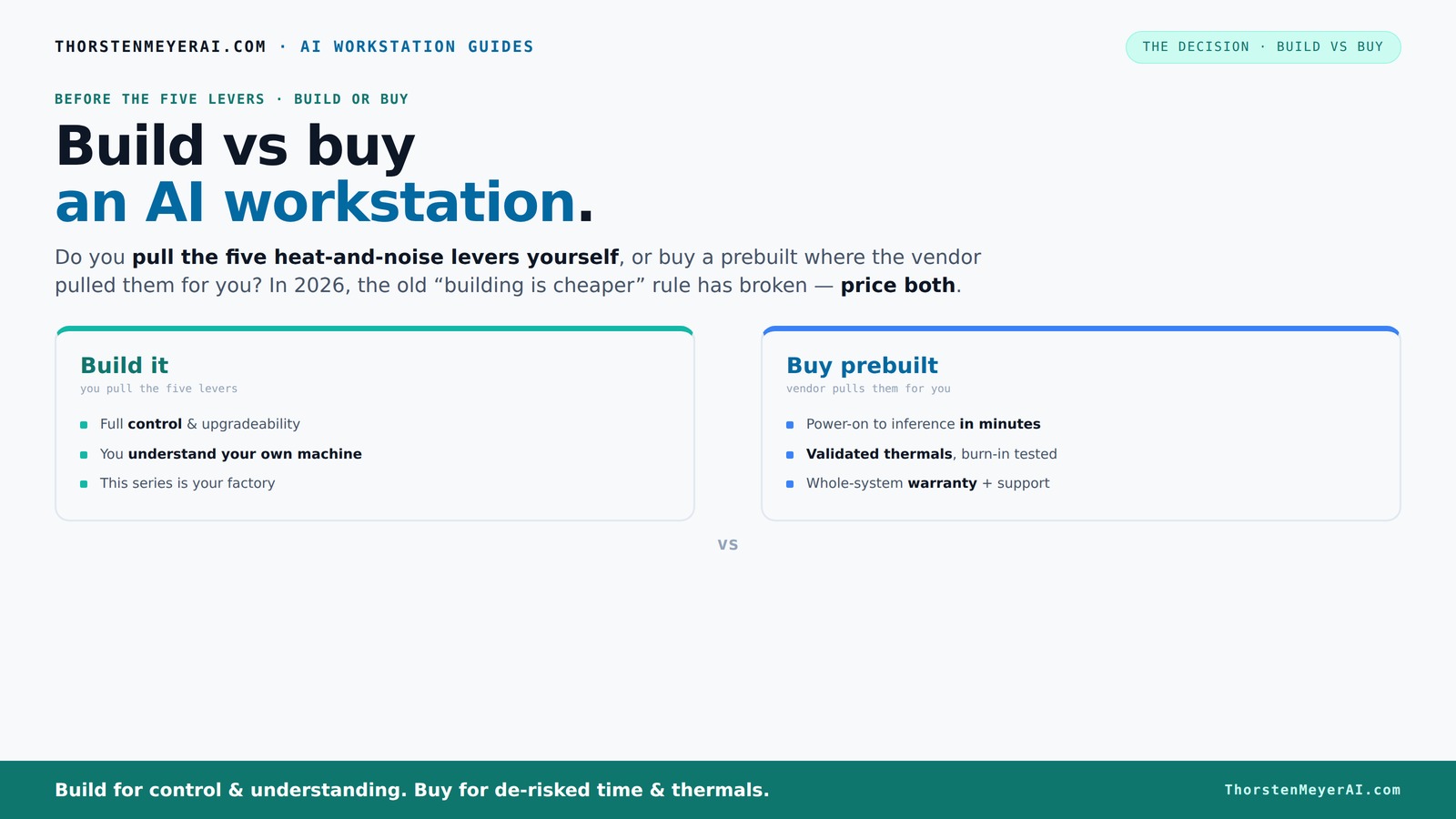
Build vs buy
an AI workstation.
The real question behind this whole series: do you pull the five heat-and-noise levers yourself, or buy a prebuilt where the vendor pulled them for you? And in 2026, the old “building is cheaper” rule has broken. Match your situation in Part 3.
Key Takeaways
- Component shortages in 2026 mean prebuilt AI workstations can cost as much or less than DIY builds, reversing the old rule.
- Buying a prebuilt saves time, reduces risk, and offers validated thermals and warranties—ideal for quick deployment and support.
- Building yourself gives you control over every component, cooling, and tuning, perfect for proprietary workflows or learning.
- Cost isn’t just parts—consider support, warranties, and future upgrades when deciding.
- Prioritize cooling, GPU choice, and support features for AI tasks, whether building or buying.
As an affiliate, we earn on qualifying purchases.
Why Prices Have Changed: The 2026 Reality Check
Building your own AI workstation used to be cheaper—by a wide margin. But in 2026, that’s no longer true. Component shortages and skyrocketing prices for GPUs, RAM, and SSDs push DIY costs up. Meanwhile, prebuilt vendors buy in bulk, locking in lower prices and passing savings to you.
For example, a custom build with a high-end GPU now easily exceeds $2,000, while a prebuilt can cost around the same or even less. According to Intel, bulk buying and market shifts have turned the old 'build is cheaper' rule on its head. Now, the decision hinges on value, not just cost.
custom gaming PC with high-end GPU
As an affiliate, we earn on qualifying purchases.
As an affiliate, we earn on qualifying purchases.
Who Pulls the Levers? Building vs Buying the Heat and Noise Controls
Managing heat, noise, and power for an AI workstation is a delicate dance. When you buy a prebuilt, the vendor pulls those levers—testing, tuning, and optimizing fans and cooling systems. They validate the thermals and often include water-cooling for quieter, cooler operation.
Build it yourself, and you become the conductor. You choose a quiet GPU, pick a cooler, and fine-tune airflow. It’s a skill that pays off, especially if you enjoy tinkering. But it takes time and knowledge. Do you want to be the engineer, or pay someone else to do it?
professional AI workstation build kit
As an affiliate, we earn on qualifying purchases.
As an affiliate, we earn on qualifying purchases.
When Prebuilt Makes Sense — Faster, Safer, and Supported
If your priority is immediate setup and hassle-free operation, a prebuilt is your best bet. These systems arrive ready with OS, drivers, and AI frameworks installed—just plug in and start training or inference.
Plus, they come with warranties and support. If your system runs into thermal or hardware issues, the vendor handles repairs. For busy professionals or teams, this peace of mind can save days or weeks.
For example, vendors like Lambda test systems under load before shipping, ensuring you won’t hit unexpected throttling problems. Sometimes, the convenience and support outweigh a few extra dollars.
enterprise AI workstation prebuilt
As an affiliate, we earn on qualifying purchases.
As an affiliate, we earn on qualifying purchases.
When Building Yourself Makes More Sense — Control, Customization, and Learning
Building an AI workstation is about control. You select every component—CPU, GPU, RAM, cooling, case—and tune the system to your exact needs. This is ideal if you have proprietary workflows or want to push hardware to its limits.
For instance, choosing a low-noise GPU and a custom water-cooling loop allows you to optimize for both performance and acoustics, especially during intensive training sessions. This level of customization ensures the system aligns precisely with your workload requirements, potentially improving efficiency and longevity.
However, it demands time, patience, and some technical know-how, especially when troubleshooting or upgrading later. The tradeoff is gaining a machine that’s tailored to your specific needs, which can lead to better performance, lower noise, and more efficient thermal management over time.
Cost Breakdown: Hidden Expenses and Markups
Price isn’t just the sum of parts—consider hidden expenses and markups. When building, you pay for your time, potential trial-and-error, and the risk of incompatibility. Plus, some parts—like GPUs—are often marked up significantly in retail stores.
Prebuilts include these costs in their overall price, often with discounts on bulk components. They also bundle support, tested thermals, and warranties, which can save you money and headaches in the long run.
For example, a high-end GPU might cost $1,200 retail, but a prebuilt system with the same GPU could include support and cooling for $1,300, often with a warranty. This bundled approach can reduce unforeseen expenses and simplify the process, especially for those less experienced in hardware assembly or troubleshooting.
Performance Factors That Matter Most for AI
When it comes to AI workloads, GPU choice and thermal management are king. Learn more about indoor air quality and cooling. A prebuilt system often offers optimized airflow and cooling, ensuring your GPU performs at peak longer, which directly impacts training times and model accuracy.
Building your own allows you to pick a quiet GPU and fine-tune fans, but it’s easy to overlook cooling and power delivery. If thermal issues occur, they can cause throttling, reducing performance and increasing wear on components. According to Dell, AI-optimized systems are tuned for sustained workloads, reducing lag and preventing thermal throttling, which can otherwise lead to inconsistent training results or hardware failure. Prioritizing robust cooling and choosing GPUs designed for AI workloads ensures your system maintains high performance over long periods, avoiding costly downtime or hardware replacements.
Upgrading and Support: What’s Easier and Safer?
Prebuilt systems come with integrated support and warranties—if something breaks, you call the vendor. They handle repairs, often within days. For upgrades, some vendors offer modular designs, making it easier to swap out GPUs or add RAM without extensive disassembly. This support network reduces downtime and provides peace of mind, especially in a professional environment where time is money.
Building your own gives you flexibility but also responsibility. You’ll need to troubleshoot, source compatible parts, and handle warranty claims individually. Upgrading is a matter of compatibility and skill, not just parts. If you’re comfortable with hardware, this approach allows for more extensive customization and future-proofing, but it can also introduce complexity and risk if not managed carefully.
For example, a prebuilt with a modular PSU and accessible case makes future upgrades straightforward, minimizing the risk of compatibility issues. DIY upgrades can be more involved but allow for deeper customization tailored precisely to your evolving needs.
Your Final Checklist — Making the Right Choice
- Assess your budget—can you afford the premium for prebuilt support and validated thermals?
- Decide your skill level—are you comfortable tuning, troubleshooting, and upgrading?
- Consider your timeline—do you need a system immediately or can you wait for a custom build?
- Think about future growth—do you want a machine you can upgrade easily later?
- Research vendors and parts—compare prices, support, and reviews.
Frequently Asked Questions
Is a prebuilt AI workstation worth it?
Yes, especially if you value quick setup, supported thermals, and warranty coverage. For busy professionals or teams, prebuilt reduces risk and lets you start training or inference faster.
Is it cheaper to build or buy?
In 2026, the costs are often comparable or even favor prebuilt systems due to component shortages and bulk discounts. Always price your exact configuration before deciding.
What performance do I lose or gain with a prebuilt system?
Prebuilts are tuned for sustained workloads, often with better thermals and quieter operation. DIY can match performance but requires more effort and expertise.
Should I build for training or inference?
Building gives you control to optimize for either. Training benefits from high-end GPUs and cooling, while inference might prioritize power efficiency and quieter operation.
How important is GPU selection for AI workloads?
GPU choice is critical. Opt for models with high VRAM and CUDA cores—like the RTX 4090 or A100—since they directly impact training speed and capacity.
Conclusion
In 2026, the choice between build and buy isn’t just about saving pennies. It’s about what you need—immediate results or total control. The smart move? Price both options for your specific setup, then pick what aligns with your skills, timeline, and future plans.
Remember, a well-chosen AI workstation is more than hardware—it’s the foundation of your AI journey. Make it count, and enjoy the ride.
Halloween Picks
halloween
As an affiliate, we earn on qualifying purchases.